

Digital-8K pro
For phones and modern TVs — live TV, movies and series in up to 8K
The new Digital player for Android phones, TV boxes and Fire TV. Activate with a code or an Xtream account, Arabic and English UI, automatic in-app updates.
Pick your device to see how to get the app
Get Digital-8K pro on Fire TV Stick
How to install on Amazon Fire TVType it in the address box inside Downloader, then press Go
aftv.news/2471622To type manually in Downloader or any browser
http://aftv.news/2471622One-time Fire TV setup: install Downloader and allow itOpen this if it's the first app you install this way · 5 steps
- 1
From the home screen choose Find, then Search, and type Downloader.
- 2
Open the Downloader app (the orange icon by AFTVnews), press Get, and wait for the install to finish.
- 3
Go to Settings → My Fire TV → Developer options.
Tip: Can't see Developer options? Open My Fire TV → About and press the device name 7 times in a row to reveal it.
- 4
Choose Install unknown apps and turn Downloader ON.
- 5
Open Downloader for the first time and press Allow so it can access files.
Install Digital-8K pro step by step
5 steps
- 1
Open Downloader and type the code
2471622in the address box.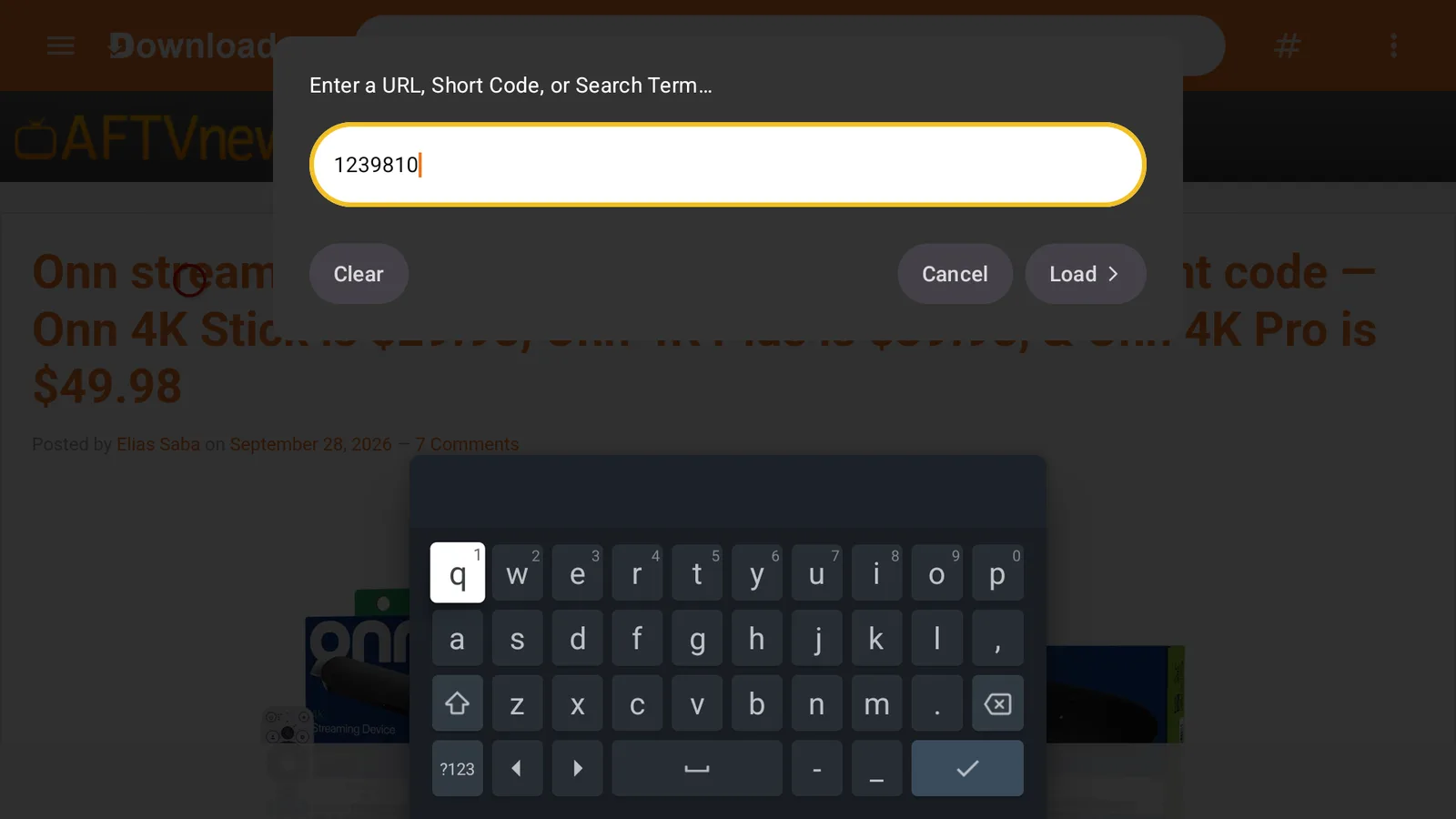 12
12 - 2
Press Go/Load. The AFTVnews page shows for a few seconds, then the download starts by itself — wait for it to finish.
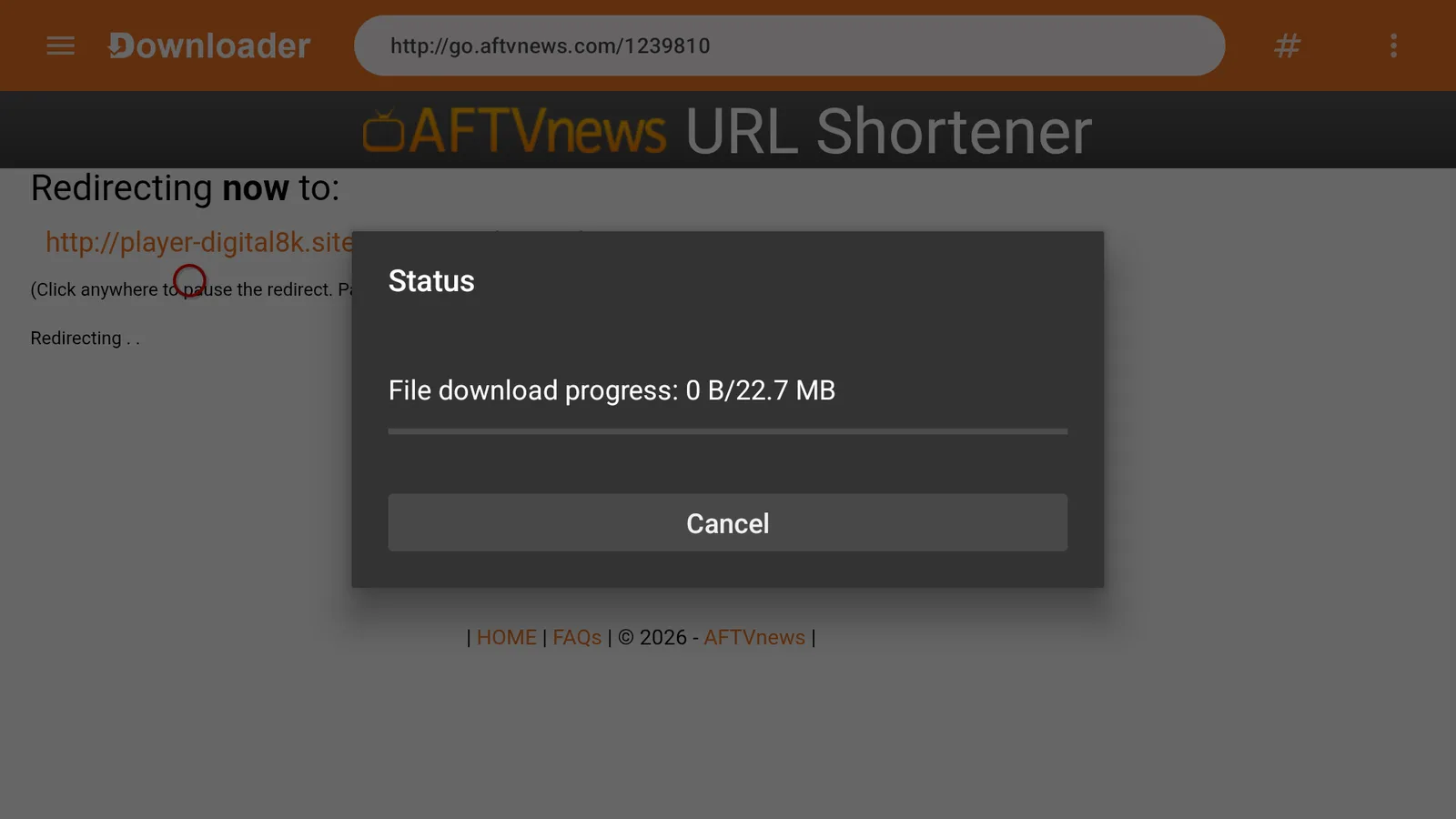
Tip: If the code doesn't work, type the full address instead:
http://aftv.news/2471622 - 3
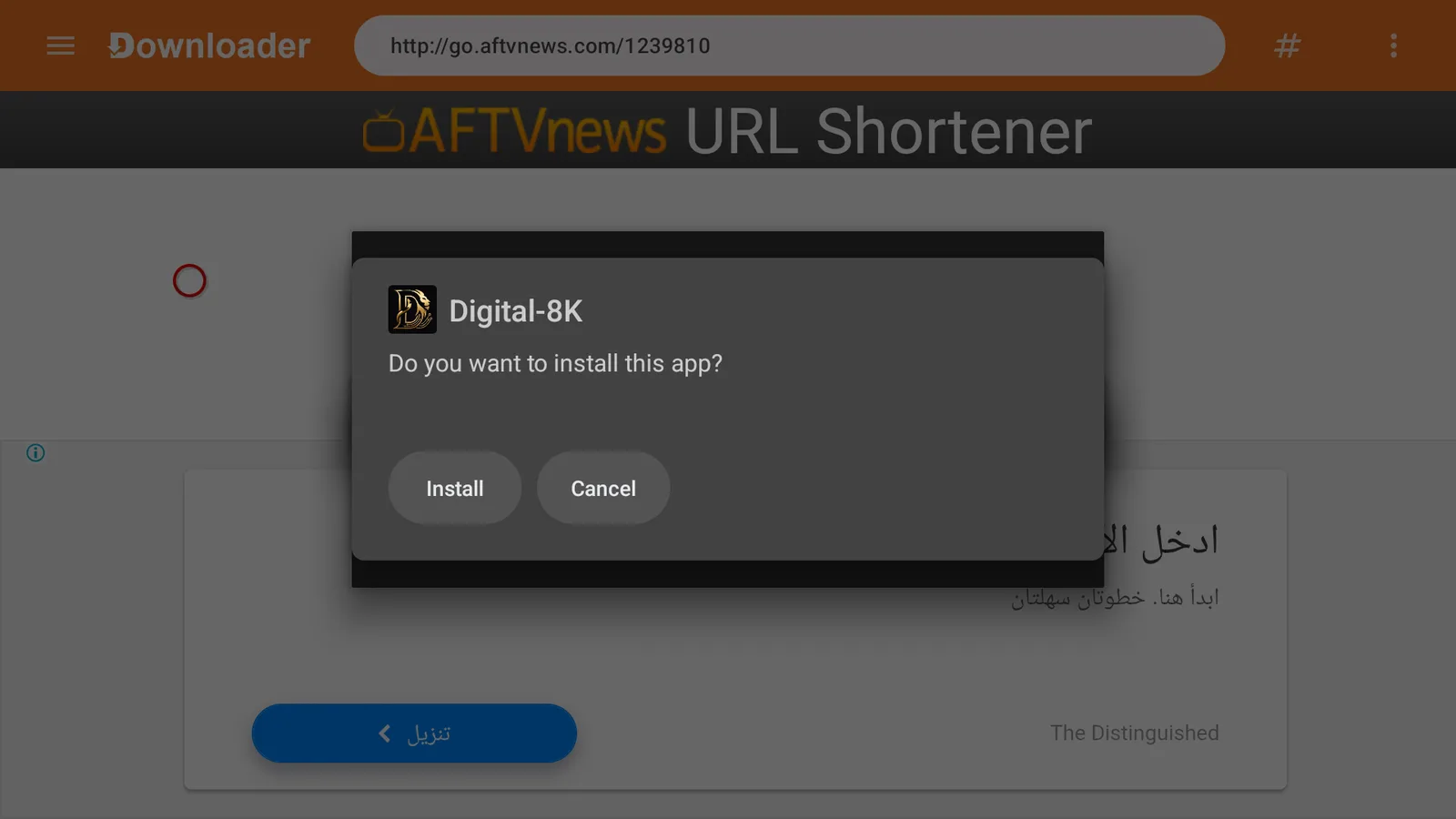
When the download finishes, press Install.
 1
1 - 4
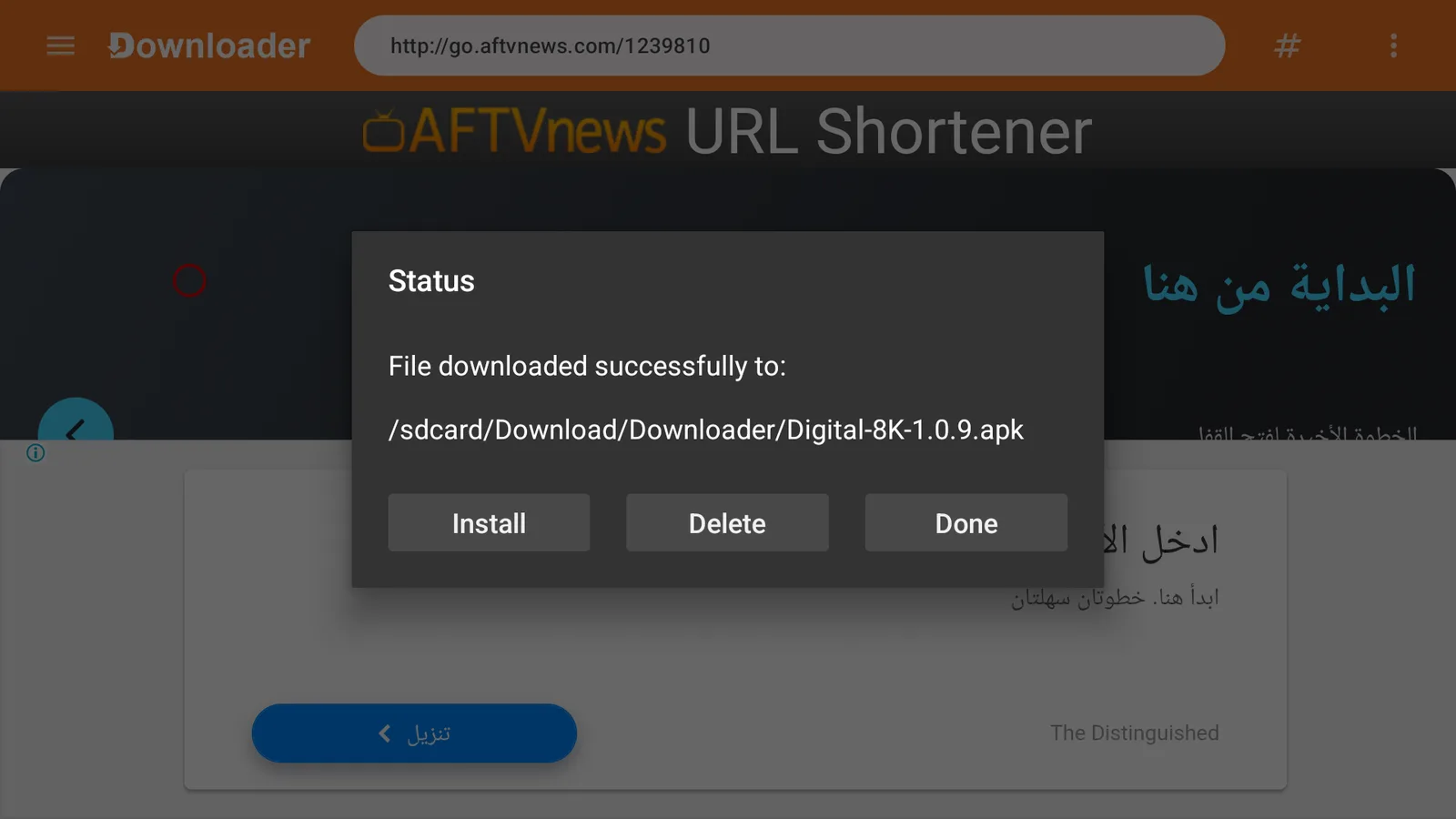
Press Done, then Delete to remove the downloaded file and free up space.
 1
1 - 5
Find Digital-8K pro under Your Apps & Channels. Open it and sign in.
Get Digital-8K pro on Android TV & Android boxes
How to install on Android TV / boxType it in the address box inside Downloader, then press Go
aftv.news/2471622To type manually in Downloader or any browser
http://aftv.news/2471622One-time Android TV setup: install Downloader and allow itOpen this if it's the first app you install this way · 2 steps
- 1
Open Google Play on the TV, search for Downloader (by AFTVnews) and press Install.
- 2
Go to Settings → Device Preferences → Security & restrictions → Unknown sources, and turn on Downloader.
 1
1Tip: On some boxes: Settings → Apps → Security & restrictions → Unknown sources.
Install Digital-8K pro step by step
5 steps
- 1
Open Downloader and type the code
2471622in the address box.12 - 2
Press Go/Load. The AFTVnews page shows for a few seconds, then the download starts by itself — wait for it to finish.
Tip: If the code doesn't work, type the full address instead:
http://aftv.news/2471622 - 3
When the download finishes, press Install.
1 - 4
Press Done, then Delete to remove the downloaded file and free up space.
1 - 5
Find Digital-8K pro in your apps list. Open it and sign in.
Get Digital-8K pro on Android phones & tablets
How to install on Android phoneFor phones and modern TVs — live TV, movies and series in up to 8K
https://www.mediafire.com/file/vdv7c4l6xf2bqc8/Digital-8k.apk/fileInstall Digital-8K pro step by step
4 steps
- 1
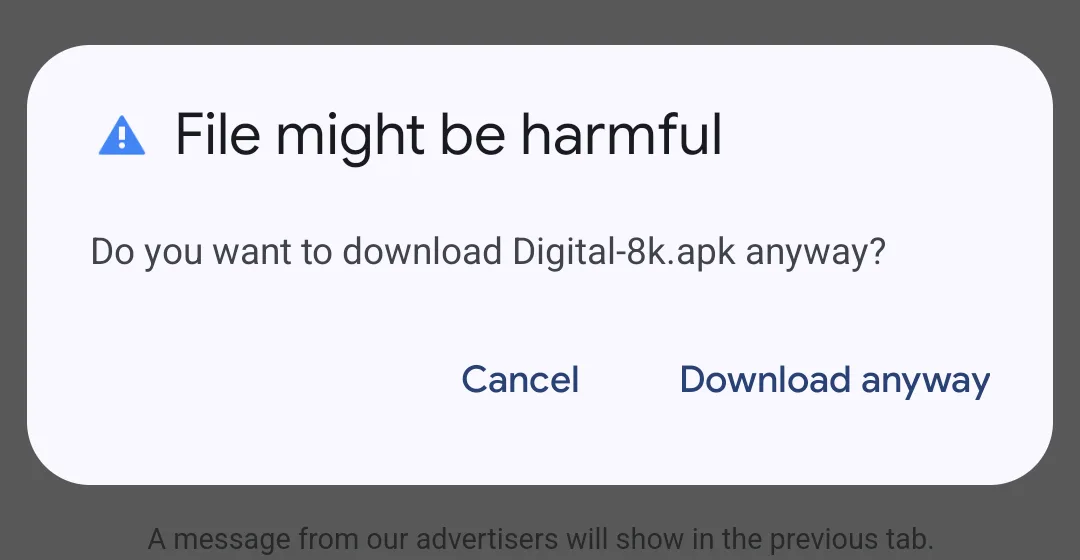
Press the download button, or scan the QR code with your phone camera if you're reading this on another device. If Chrome warns "File might be harmful", press Download anyway.
 1
1Tip: The download shows in your notifications — wait for it to finish.
- 2
Open the file from the download notification, or from Chrome's ⋮ menu → Downloads. If the phone says it isn't allowed to install unknown apps from this source: press Settings.
 12
12Tip: You're asked only once per browser.
- 3
Turn on Allow from this source, go back, then press Install.
 12
12Tip: If Play Protect shows a warning: press More details, then Install anyway.
- 4
Press Open and sign in to Digital-8K pro.
 1
1
Not yet available oniPhone / iPadSamsung TVLG TVComputer— We're working on it — contact support for an ETA.